authentik version 2026.8 is here!

authentik is an open source Identity Provider that unifies your identity needs into a single platform, replacing Okta, Keycloak, and Ping. Authentik Security is a public benefit company building on top of the open source authentik project.
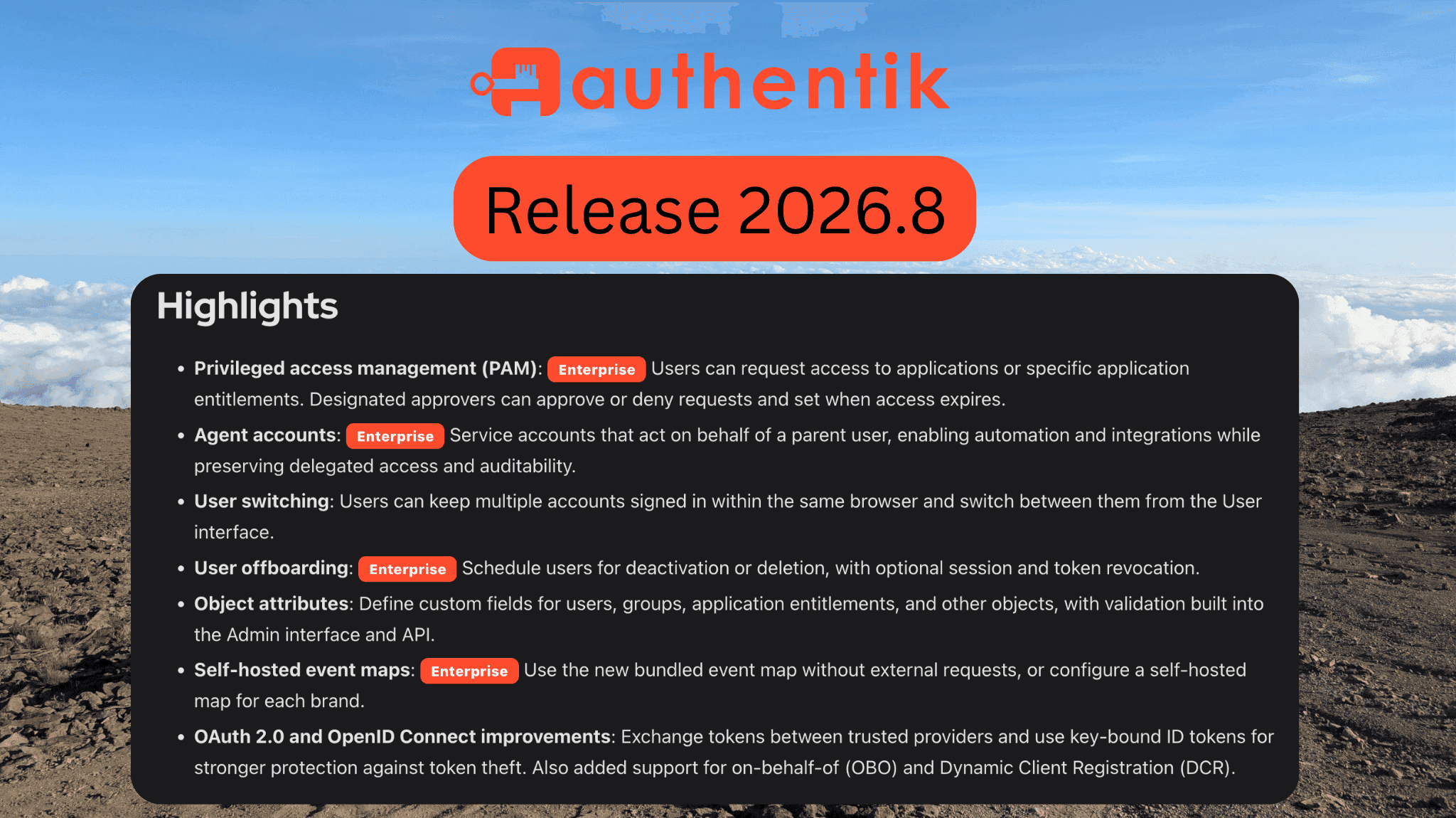
This release of authentik introduces privileged access management, agent accounts for automation, integrations, and AI agents, user switching, scheduled user offboarding, custom object attributes, and a big batch of OAuth 2.0 and OpenID Connect improvements. Oh, and authentik is now officially OpenID Certified™.
Let's take a closer look at what's in the 2026.8 release of authentik, your favorite identity provider.
New features
-
Privileged access management (Enterprise): Users can now request access to applications and application entitlements directly from the User interface, browse what they're eligible to request, and track whether each request is pending, approved, denied, or revoked. On the admin side, you define request rules that control who can request and who can approve, whether approval comes from individual users, groups, or policies, how many reviewers are needed, and how long a request or grant is valid. Approved access expires automatically, reviewers can revoke active grants, and every action lands in the event log. Learn more in the access requests documentation.
-
Agent accounts (Enterprise): Agents are a new kind of service account that act on behalf of a parent user when accessing the authentik API. They're built for automation, integrations, and AI agents that need delegated access without losing the link back to the person they represent. Administrators control how agents inherit policy access, set expiration rules, and trace their activity through audit events, and users can optionally create their own agents from the User interface. Learn more in the agent accounts documentation.
-
User switching: You can now keep multiple authentik accounts signed in within the same browser and switch between them from the account menu, or add another account without signing out of the ones you already have. To turn it on, select a User switch flow for your brand. Since it's a normal authentik flow, you can use policies to decide whether switching requires a password, MFA, or a lighter check. Successful switches are recorded in the event log. Learn more in the user switching documentation.
-
Scheduled user offboarding (Enterprise): Administrators can schedule a user for deactivation or deletion at a specific date and time, optionally revoking their sessions and tokens at the same time. Scheduled offboardings can be reviewed or canceled before they run, failed actions are retried, and the event log keeps a record of who scheduled it and which actions were selected. Learn more in the user offboarding documentation.
-
Object attributes: You can now define custom text, number, and Boolean fields under Directory > Object attributes, and mark them as required, unique, or validated against a regular expression. The fields show up when editing users, groups, application entitlements, and device access groups, and the same validation applies through the API. authentik also ships definitions for common identity, contact, address, Unix, and employee attributes that are disabled by default and can be enabled as needed. Learn more in the object attributes documentation.
-
Self-hosted event maps (Enterprise): The events map now uses a basemap bundled with authentik and makes no external requests by default, so it works in air-gapped and restricted-network deployments. Nearby events are grouped together with columns showing event volume and type, and selecting an area filters the event list. Each brand can use the bundled map or point at a self-hosted one under Map tiles. Learn more in the events documentation.
OAuth 2.0 and OpenID Connect
This release has enough OAuth and OIDC work in it to deserve its own section.
-
OpenID Certified™: As of 2026.8, authentik is officially certified by the OpenID Foundation for both the OpenID Provider profiles (Basic, Implicit, Hybrid, Config, and Form Post OP) and the logout profiles (RP-Initiated, Front-Channel, and Back-Channel).
-
Token exchange: OAuth 2.0 token exchange lets an application trade a token from a trusted provider or source for an authentik access token representing the same user, so connected services can act on a user's behalf without passing the original token around. It's disabled by default and can be enabled under the provider's Grant Types setting, with trusted providers and sources configured through the existing JWT federation settings.
-
On-behalf-of (OBO) token exchange: authentik now supports RFC 8693 delegation. Clients can supply an Actor token using
actor_tokenandactor_token_typeto receive a token that identifies both the user and the Actor acting on their behalf through theactclaim. Paired with agent accounts, this is how services and agents keep user context while making delegated requests. Learn more in the OBO documentation. -
Dynamic client registration (Enterprise): Applications can now register themselves with authentik using OAuth 2.0 and OpenID Connect Dynamic Client Registration (DCR), so you don't have to create every application and provider by hand. You stay in control through policy bindings and restrictions on grant types, scope mappings, and token validity. Learn more in the DCR documentation.
-
OpenID key binding: OpenID Connect providers can now issue key-bound ID tokens, which require the client to prove it holds the associated key. If a token is stolen, it's useless without the key. Key binding is available for authorization code, device code, and refresh flows.
Enhancements
-
Nested LDAP group synchronization: LDAP sources can now preserve your directory's nested group hierarchy. Enable Sync Group Parents to create parent relationships between synchronized groups. See the LDAP source documentation for details.
-
Expiring policy bindings: Policy, group, and user bindings can now have an expiration date and time. Once expired, a binding no longer grants access or contributes a successful policy result, which makes temporary access to applications, flows, and stages possible without someone remembering to remove the binding later.
-
Base URL system setting: There's a new Base URL system setting that records the external URL where your instance lives. Set it under System > Settings, through the API, or with
AUTHENTIK_WEB__BASE_URL. Enter only the scheme and host, even if authentik is served under a subpath. This setting becomes required in 2026.11, so it's worth configuring now. -
PostgreSQL connection-pooler support: authentik now supports a transaction-mode PostgreSQL connection pooler alongside a separate direct connection for operations that need a stable session. Your existing PostgreSQL settings keep handling normal traffic, and the new direct settings can point at a direct or session-pooled endpoint. See Session-scoped operations and transaction-mode poolers for configuration.
-
Server and proxy outpost rewritten in Rust: Continuing the work we started in 2026.5 with the worker, the authentik server entrypoint and the proxy outpost have been rewritten from Go to Rust as a 1-to-1 match with the previous code. The Django core stays where it is. This doesn't bring improvements on its own yet, but it's the stepping stone for coupling the Django core and the Rust proxying layer more closely together in upcoming releases. Health checks for the server and worker now also run through the Rust entrypoint.
-
Task status reflects task logs: A task that logged an error but still finished, like a sync that failed for a single object, used to be marked successful and hidden on the System Tasks page. These now show as errors or warnings. Don't be surprised if failures that were already happening start showing up after you upgrade; tasks that ran before the upgrade keep their old status until they run again.
-
Application Dashboard list view: Users can switch between the card grid and a new compact list view, and the choice is remembered in the browser.
-
AKQLimprovements: Queries against JSON fields now match numeric and Boolean values, not just strings. -
More CAPTCHA providers: The Captcha stage now supports JSON verification requests and the self-hostable Cap CAPTCHA provider.
-
WS-Federation with Microsoft 365: WS-Federation providers can now issue SAML 1.1 assertions, which unlocks integration with Microsoft 365 and Entra ID.
-
Provider and source odds and ends: SCIM providers gained a compatibility mode for GitLab, OAuth providers can sign with Ed448 keys, OAuth sources can store longer authorization URLs, Twitter sources can retrieve a user's email address, and SAML authentication requests that set
ForceAuthnnow require fresh authentication. -
Quality of life: Account changes made by administrators now appear in the affected user's event history, the enterprise license card shows how many days remain before expiry, group lists use fewer database queries, S3-backed file storage reuses clients, deleting an authenticator stage no longer deletes the enrolled devices that reference it, and the lifecycle tooling now prevents unsupported major-version skips before migrations begin.
Changes to be aware of
This version includes a couple of changes worth reading before you upgrade.
-
hash_passwordno longer takes a positional argument: Thehash_passwordmanagement command we introduced in 2026.5 no longer accepts the password on the command line, where it could end up in shell history. Run it without arguments to get a hidden interactive prompt, or pipe the password through standard input for automation:echo "$PASSWORD" | docker compose run --rm server hash_password -
"Prevent duplicate device" removed from the WebAuthn setup stage: This option compared attestation certificates, which manufacturers deliberately share across entire production batches, so it rejected legitimate enrollments of a second security key bought alongside the first. It was disabled by default in 2026.5.4 and is now gone. No action is needed on upgrade.
-
PostgreSQL custom connection options are deprecated:
AUTHENTIK_POSTGRESQL__CONN_OPTIONSand its replica equivalent are deprecated and will be removed in an upcoming version. If you rely on them for something specific, open an issue so we can discuss alternatives.
New integration guides
This was a big one for integrations, with over 40 new application guides. A huge thanks to our community contributors, and especially @nicedevil007 for contributing nine of them:
- Appsmith
- Atlantis
- Box
- Chatwoot
- Cisco Secure Firewall Management Center (Thanks @riversdev0!)
- Convex
- Coolify
- Cursor
- Dashy (Thanks @nicedevil007!)
- Directus
- Discourse
- Docker Platforms
- Dozzle
- Dropbox Sign
- ExcaliDash
- FortiAnalyzer (Thanks @nicedevil007!)
- GitGuardian
- Gotify (Thanks @nicedevil007!)
- HubSpot
- Icinga Web 2 (Thanks @nicedevil007!)
- IIS
- Incus
- Infisical
- Kavita
- mailcow Logs Viewer (Thanks @nicedevil007!)
- Maintainerr (Thanks @enoch85!)
- Memos
- Microsoft 365 via WS-Federation
- n8n
- Nexterm (Thanks @Nerdy-Technician!)
- NocoDB
- Notion
- Omnissa Workspace ONE Access (Thanks @nicedevil007!)
- OpenCloud
- OpenObserve
- Personio (Thanks @nicedevil007!)
- Plane
- Productive
- SnapOtter
- Stirling PDF
- ToolJet
- Veeam Backup & Replication (Thanks @nicedevil007!)
We also added two new source guides for logging into authentik with GitLab (Thanks @4www!) and JumpCloud.
If you have an integration guide you'd like to add, check out how to add a new application.
Upgrade to version 2026.8
This release doesn't introduce any new requirements. Refer to the Upgrade documentation and the Release Notes for detailed instructions.
Enjoy the new release! As always, we'd love to hear your questions and feedback. Connect with us on GitHub, Discord, or with an email to [email protected].